Can You Drive with a Broken Sway Bar Link, Here's the Truth
Table Of Contents:
|
Did you know a small component in your suspension system could cause you to lose control of your car? The sway bar link plays a critical role in vehicle stability, so how can you tell when it starts to fail?
What is a sway bar?
Also known as a stabilizer link or anti-roll bar link, the sway bar link is a vital component of the vehicle’s suspension system. It connects the front and rear wheels and helps maintain balance during turns.
What is the function of the sway bar in a vehicle?
The sway bar enhances vehicle stability and reduces body roll while driving. Its key functions include:
- Reducing body roll during turns: When the vehicle enters a curve, its weight shifts outward, increasing pressure on the outer wheels and lifting the inner ones. The sway bar redistributes this pressure evenly across the wheels.
- Acting as a strong connecting rod between wheels: It transfers part of the force from the outer wheels to the inner ones, improving overall vehicle balance.
- Improving handling and reducing the risk of skidding: By minimizing body roll, the sway bar helps the driver maintain better control, especially at high speeds or on winding roads.
- Enhancing safety and passenger comfort: Its stabilizing effect contributes to a smoother, safer ride, benefiting both the driver and passengers.
What are the benefits of a sway bar link?
As a core part of the suspension system, the sway bar link significantly improves driving performance and safety. Its main benefits include:
- Minimizing body roll, especially during cornering
- Evenly distributing force between wheels, enhancing road grip
- Providing precise steering response in challenging conditions like sharp turns or wet roads
- Reducing vibrations caused by rough terrain or curves
- Improving weight distribution, reducing passenger discomfort from jolts or shakes
- Lowering the risk of rollover in sharp turns or at high speeds
- Supporting the overall performance of the suspension system
- Evenly distributing load across tires, reducing uneven wear and extending tire lifespan
- Reducing rolling resistance, which improves fuel efficiency and makes driving more economical
What are the symptoms of a faulty sway bar link?
A damaged sway bar link directly affects vehicle stability and safety. Common warning signs include:
- Excessive body roll during turns: The vehicle leans more than usual, making it harder to control and increasing the risk of skidding
- Unusual swaying on straight roads: Noticeable side-to-side movement may indicate a loss of balance
- Reduced steering responsiveness: The steering wheel feels less precise, especially when changing direction
- Clicking or squeaking noises near the wheels: These sounds often occur when driving over bumps or turning, suggesting worn rubber bushings or lack of lubrication
- Grinding or screeching sounds during braking or turning: This may point to abnormal friction in the suspension system
- Uneven tire wear: One side of the tire may wear out faster, or you may notice patches of worn and intact areas
- Persistent steering wheel vibrations at high speeds: A sign of imbalance in the suspension
- Intermittent vibrations over bumps or curves: Indicates instability or damage in suspension components
- Longer braking distances: The car takes more time to stop, compromising safety
- Difficulty maintaining a straight line: The vehicle may drift unexpectedly, requiring constant correction
What causes sway bar link damage?
The sway bar link, or stabilizer link, wears out over time due to various factors. Key causes include:
- Driving on rough or uneven roads: Repeated impacts can damage or break the link
- Severe vibrations from unpaved surfaces: These can accelerate wear and affect other suspension parts
- High-speed cornering: Puts excessive stress on the link, leading to faster deterioration
- Frequent sudden braking: Increases mechanical load, causing gradual wear
- Continuous exposure to moisture and road salts: Especially in coastal areas, this can lead to corrosion and eventual failure
How to inspect a sway bar link?
To check the condition of a sway bar link, follow these steps for a safe and accurate inspection:
- Lift the vehicle securely using a jack or lift stands. Ensure the car is stable and won’t move during inspection
- Look for visible damage: Check for cracks, breaks, or signs of wear on the link
- Inspect for fluid leaks: Leaks around the link may indicate internal damage
- Examine rubber bushings: Look for tears or deterioration that could affect performance
- Manually move the link: It should move freely without resistance or noise. Clicking or grinding sounds may signal damage
- Check connected components: Inspect control arms and ball joints for related wear or damage
Tip: If you're unsure how to perform the inspection, it's best to consult a qualified technician. Regular checks are recommended to maintain vehicle safety.
Can you drive with a damaged sway bar link?
- Driving with a faulty sway bar link is not recommended due to the serious safety risks it poses. This component is essential for maintaining vehicle balance and reducing body roll, especially during turns. When damaged, the car becomes more prone to skidding—particularly at high speeds or in poor weather conditions.
- Additionally, a worn sway bar link can cause uneven tire wear and negatively impact the suspension system’s overall performance. This compromises vehicle stability and increases the likelihood of accidents. Therefore, regular inspection and prompt replacement are crucial to ensure safe and reliable driving.
FAQs
Related Blogs
Mojaz Report: How to Read Used Car History and Its Limits
Table Of Contents:
|
A Mojaz report helps you read a used car’s history through the records available; it does not deliver a final verdict on its condition. Start by matching the vehicle’s identity, then read mileage, accident and maintenance records chronologically and compare them with documents and the car’s current condition. No accident record does not mean accident-free, and missing mileage readings do not validate the odometer. Use the report to identify seller questions and professional inspection priorities before deciding to buy, not as a replacement for inspection.
What does a Mojaz report show, and what are its limits?
The official Mojaz homepage (in Arabic) says it brings together key historical vehicle data from official sources in one report. Its report outline lists vehicle information, odometer reading history, accident records, maintenance and repairs, warranty information, spare parts, vehicle reputation and related images.
These are section names presented by the service, not a promise that every section contains data for every car. Read what is actually available, and do not turn a blank field into a positive or negative finding. Likewise, do not infer a specific rating or acceptance standard from the vehicle reputation heading; use any accompanying explanation and ask about unclear descriptions before relying on them.
Start by matching the car and the report version
Before discussing findings, establish that the report belongs to the actual car being offered. Ask to see the full version rather than a cropped image of a reassuring section, and match its identification details to the vehicle documents and the car. Do not rely on a similar colour or general description, or dismiss an identification mismatch as a minor error without checking.
- Check the VIN if shown, comparing every character with the documents and its designated location on the car; seek professional help if anything is unclear.
- Note the report date if visible, distinguishing it from the event dates inside; a recent report may contain only an older record.
- Write down any data mismatch and ask for an explanation before evaluating mileage or accidents or concluding the agreement.
For identification details and their locations, see the guide to vehicle identification numbers, while paying attention to the name of each identifier in the document you are reading.
How do you read odometer records chronologically?
Read the date of each distance reading, not just the last number. Put the available readings in order from oldest to newest, then compare the latest with the car’s odometer during the viewing. Check measurement units first; do not directly compare figures expressed in different units. Your aim is to understand the sequence and identify questions, not estimate true mileage from cabin appearance alone.
- Write the date and reading exactly as shown, distinguishing report information from something the seller says or a figure on an invoice.
- If a later reading is lower than an earlier one, request a documented explanation and discuss possibilities with a professional; the inconsistency warrants a pause but is not a standalone diagnosis of tampering.
- If there is a long gap, ask for documents covering that period; do not assume the car was unused throughout it.
- If there are no readings at all, note that mileage has not been verified through this method instead of automatically accepting the current figure.
If the seller mentions an odometer replacement, ask for the work record and evidence of readings before and after replacement, if available. Do not fill a missing sequence with estimates or treat consistent readings alone as a guarantee that the entire usage history is known.
How should you interpret accident records and available images?
If an accident record appears, read its details as written and compare them with repair documents supplied by the seller. Do not reduce the assessment to a record count or label damage minor or severe without supporting information. A report may describe a historical event, while repair quality and present condition need an independent inspection.
If related images appear, check their connection to the event, the vehicle and their date whenever that information is available. A photograph does not reveal everything behind visible parts, and missing images do not rule out damage. Where structural repairs are suspected, request a specialist inspection. The guide to signs of bodywork and structural repairs can help you frame questions, not make your own technical verdict.
If no accident record appears, the accurate wording is: no event is visible in the data you are reading. Do not replace that with the car has never had an accident, or let that inference cancel the inspection or the request for repair documents.
How do you relate maintenance and repairs to current condition?
Read available maintenance and repair entries with their dates, comparing them with the seller’s invoices. Distinguish a record of past work from proof that the relevant system works well today. If a repair description recurs, ask what was done and what happened afterwards, without automatically assuming a particular fault or an unsuccessful repair.
Warranty information alone does not mean cover is active or transferable to you; verify the document and terms with the relevant provider. Equally, do not infer from a spare parts section that every component is genuine or in good condition. A missing maintenance record does not prove neglect, but leaves a question requiring documents and inspection.
Compare documented work with the appropriate owner’s manual requirements alongside a professional. Do not derive a new servicing schedule from the report or assume one completed job means all other scheduled work was done or related components are sound.
A reading checklist: information and limits of inference
Use this table to organise your notes; it is not a real sample vehicle report. Always distinguish what you read, what you still do not know and the next step needed to close that gap.
| What you read | What it does not prove alone | Next step |
| Consecutive odometer readings | Complete mileage history | Compare with the odometer and documents |
| No odometer readings | Accuracy of current mileage | Seek more evidence and document the gap |
| An accident record | Current repair quality | Repair documents and specialist inspection |
| No visible accident record | An accident-free car | Professional body and paint inspection |
| Recorded maintenance work | The component’s condition today | Compare with the current inspection |
| Warranty information | Active cover for the buyer | Verify terms with the relevant provider |
Which questions should you ask the seller?
Start with an open question about the car’s usage history, then address unclear report entries. Request specific answers that can be connected to documents; personal trust or numerous photographs are not substitutes for verification. Keep your notes separate from the original report so your interpretations do not become confused with its records.
- Is this the full version for this exact vehicle? Which documents support the details or explain a visible discrepancy?
- Has the odometer been repaired or replaced? Are invoices or saved readings available for periods with no visible record?
- Are you aware of body repairs, repainting or accidents not shown here? What work was done and which documents are available?
- Where was the most recent service performed, what was actually done, and which recommended jobs remain outstanding?
- Will you allow an independent inspection and a review of findings before agreement? How can your explanation of a record mismatch be documented?
What still needs inspecting before you decide to buy?
Give the professional your report and notes before inspection, and request an assessment of the current structure, mechanical and electrical systems and safety components. Do not simply seek confirmation of an existing impression: ask what was checked and what could not be verified. To organise the rest of the viewing, see the used car inspection tips before purchase.
If a material identity or mileage discrepancy appears, or a significant repair remains unexplained, postpone the decision until it is clarified. If the gap cannot be closed, treat it as unknown information rather than proof of sound condition. Once the technical assessment is settled, review the vehicle ownership transfer steps on Absher separately; a history report does not replace the sale procedures.
Frequently asked questions about reading a Mojaz report
- Does no accident record mean the car is sound? No. It means an accident record is not visible in the available data you read. Body condition and repair quality still need inspection.
- Does the report validate the car’s mileage? Available reading sequences help comparisons but do not guarantee a complete history. If readings are missing, mileage cannot be accepted on the report alone.
- Is every section available for every car? Do not assume this from the section names on the website. Read the actual content and ask about missing information or unclear wording.
- What if the report contradicts the seller? Identify the conflicting entry, ask for a document explaining it and show it to a professional. Neither ignore the conflict nor automatically turn it into an accusation.
- Does a Mojaz report replace a technical inspection? No. A history report presents available historical information, whereas an inspection assesses current condition within its scope. Combine both with documents before deciding.
In short, read a Mojaz report as available evidence and open questions, not a certificate that the car has no defects. Match its identity, review the timeline and connect the findings with documents and an independent inspection. A stronger decision clearly distinguishes what is established from what remains unknown.

Vehicle Driving Authorization on Absher: Conditions and Steps
Table of Contents:
|
Vehicle driving authorization on Absher is an electronic service that lets a vehicle owner add an authorized person to drive the vehicle inside or outside the Kingdom, depending on the type of authorization selected. The owner starts from Vehicles, then Manage Vehicles, selects the vehicle, chooses Authorize Vehicles and then Issue Authorization. Before that, the vehicle registration must be valid with active insurance, and both parties must have Absher accounts. This guide covers the conditions, steps, period limits, the difference from ownership transfer and what the owner should check first.
What Is Vehicle Driving Authorization on Absher?
The official Issue an Authorization service page on the National Portal says the service allows you electronically to add an authorized person to drive a vehicle inside or outside the Kingdom, depending on the selected type of authorization. The service belongs to the Ministry of Interior, targets individuals, both citizens and residents, and lists its channels as the website portal and the iOS and Android apps.
The authorization is therefore permission to drive, not a sale or a transfer of ownership. The vehicle owner issues the authorization, and the authorized person is added to drive within the selected type and period. Read the service name in your account carefully and do not confuse it with other vehicle services in the same menu.
What Are the Vehicle Authorization Conditions and Required Documents?
The Prerequisites tab of the official service page lists the following conditions, as shown at the time of writing:
- The vehicle registration license must be valid and have active insurance.
- The authorization period must not exceed the validity of the vehicle registration license.
- The authorization period must not exceed the validity of the authorized person’s driving license.
- Authorization cannot be granted to someone holding a final exit visa.
- The authorization period must not exceed the duration of the exit and re-entry visa if the authorized person holds one.
The Required Documents tab lists the following:
- The authorizer must be the vehicle owner.
- The vehicle must have valid insurance.
- Both the authorizer and the authorized person must have active Absher accounts.
- For an external authorization, the authorized person must hold an exit and re-entry visa whose duration is linked to the authorization period.
The text we reviewed adds no other conditions, so follow what the service requests for your case rather than lists circulating in forums or messages.
What Are the Steps to Authorize a Vehicle on Absher?
The following steps come from the official service page. Menus may look different in the portal and the app, so look for the same names:
- Log in to Absher with the vehicle owner’s account.
- Select "Vehicles".
- Click on "Manage Vehicles".
- Select the vehicle you want to authorize and check its details.
- Choose "Authorize Vehicles".
- Click on "Issue Authorization", enter the required information and select the type of authorization.
The page describes the service duration as immediate, but do not rely on pressing the issue button alone; review what the service displays after submission to confirm the transaction is complete. If a message prevents issuing the authorization, return to the conditions above and start with the item the message refers to, such as insurance validity or the validity of one of the licenses, instead of retrying without changing anything.
Driving Authorization Inside and Outside the Kingdom: What Differs?
The page states that the authorization applies inside or outside the Kingdom depending on the type of authorization you select in the final step. Decide the purpose before you start: will the authorized person drive only inside the Kingdom, or do they need to drive the vehicle abroad?
For an external authorization, the Required Documents tab requires the authorized person to hold an exit and re-entry visa. The page links the visa duration to the authorization period, but the Prerequisites wording (the authorization period must not exceed the visa duration) runs in the opposite direction to the Required Documents wording (the visa must not exceed the authorization period), so follow what the service accepts for your case. A holder of a final exit visa cannot be added as an authorized person.
The service page does not address the requirements of other countries or border crossings when travelling by car, so ask the competent authorities about this before relying on the authorization alone.
How Long Does the Authorization Last and How Is It Cancelled?
The service page does not set a fixed authorization period; it sets upper limits instead. The period must not exceed the validity of the vehicle registration, the validity of the authorized person’s driving license, or the duration of their exit and re-entry visa if they hold one. In practice, whichever of these dates expires first limits the period you can choose.
As for cancellation, the pages we reviewed do not explain the steps. Start from the Authorize Vehicles screen in the owner’s account and review the options shown to you. If nothing fits your case, ask the official Ministry of Interior support channels, and do not rely on an unofficial explanation that mentions a specific button or period.
If the vehicle registration is about to expire, review the vehicle registration renewal steps on Absher before choosing the authorization period, because the period may not exceed the registration validity.
How Does Authorization Differ From Ownership Transfer?
Some people confuse allowing someone to drive the car with selling it to them. As the service describes it, authorization adds an authorized driver and is issued by the vehicle owner, while ownership transfer is a separate procedure that changes the owner. The table summarises the difference:
| Item | Driving Authorization | Ownership Transfer |
| Purpose | Add an authorized person to drive the vehicle | Transfer vehicle ownership to another owner |
| Who starts it | The vehicle owner, according to the service page | According to the sale service conditions |
| Does the owner change? | The service describes no change of ownership | Yes, that is the purpose of the procedure |
| Period limits | Not beyond the registration and the authorized person’s driving license validity | Follows the transfer service conditions |
If your aim is to sell or buy the car, authorization is not a substitute for a sale; review the Absher ownership transfer steps and sale conditions to complete the correct procedure.
What Should the Owner Check Before Issuing the Authorization?
The official conditions determine whether the authorization can be issued, but they do not answer every practical question. Before issuing it, review the following points:
- Registration: confirm it is valid and note its expiry date, because that date limits the authorization period.
- Insurance: confirm the policy is valid for the same vehicle, then read its terms or ask the insurer about someone other than the owner driving, and do not assume any particular cover simply because the authorization was issued. To distinguish policy types, read about comprehensive versus third-party car insurance.
- Authorized person: confirm their driving license is valid, that they have an Absher account and, for a resident, their visa status.
- Purpose and period: choose the authorization type and period according to your actual need, not longer.
If an accident happens while the authorized person is driving, learn the steps to take after a car accident and Najm reporting. The service page does not address how responsibility for accidents or violations is shared between the owner and the authorized person, so do not build assumptions on it; ask the competent authority or your insurer about your case.
Frequently Asked Questions About Vehicle Driving Authorization
Must the person issuing the authorization be the car owner?
Yes. The Required Documents tab states that the authorizer must be the vehicle owner. The authorization is therefore not issued from the account of someone who does not own the vehicle, even if they usually drive it.
Does the authorized person need an Absher account?
Yes. The page requires both the authorizer and the authorized person to have Absher accounts. Confirm this before starting so the process does not stop when you enter the details.
Can someone holding a final exit visa be authorized?
No. The prerequisites state that authorization cannot be granted to someone holding a final exit visa. For a holder of an exit and re-entry visa, the authorization period is tied to the visa duration.
Can I authorize if the registration or insurance has expired?
The published condition is a valid vehicle registration with active insurance. If either has expired, resolve it first and then return to the authorization service.
Does authorization mean the insurance covers the authorized person?
The service page mentions insurance only as a condition for issuing the authorization. Review your policy and its terms with your insurer before allowing another person to drive.
Conclusion
Vehicle driving authorization on Absher starts from the owner’s account and requires a valid registration, active insurance and Absher accounts for both parties, with its period limited by the validity of the licenses and visa. Choose the right authorization type, review your insurance policy and do not use authorization as a substitute for ownership transfer.
Car Recalls in Saudi Arabia: VIN Checks and Next Steps
Table of Contents:
|
To check car recalls in Saudi Arabia, enter the VIN on the official recall platform, then read the campaign details and follow the instructions for your vehicle. A matching model name or model year alone does not establish inclusion, and no result does not mean the car is defect-free. If a campaign applies, contact the responsible party named in it, ask about driving instructions and an appointment, and retain confirmation of the completed repair.
What are car recalls in Saudi Arabia?
A recall is an action to address an announced defect, not a general description of every problem a car develops. The Ministry of Commerce explains that its enquiry service checks whether products or vehicles are included in campaigns announced in cooperation with manufacturers and local agents. Start with the official source rather than a shared image or a message of unknown origin.
Refer to the Ministry of Commerce defective products enquiry service (in Arabic) for the service sequence: access the platform, enter the VIN or search for the product, then follow the campaign details and required actions. Do not assume a recall means replacing the car; the relevant action is the one specified for the campaign once its applicability to your vehicle is confirmed.
What should you prepare before a VIN recall check?
Have the vehicle identification number, or VIN, ready. Read it from a reliable document for the car or from the location identified in the owner’s manual. Do not substitute the registration plate number or another identifier simply because its name sounds similar. For help identifying it, see the guide to your vehicle identification number, then match the details to the actual car.
- Copy the complete number exactly and check the letters and digits before searching, especially when copying from an image or message.
- Keep the basic vehicle details and any recall notice you received so you can explain your enquiry clearly when making contact.
- If the number on a document differs from the one on the car, have a qualified party clarify the discrepancy before relying on the search result.
Do not send full images of your documents to untrusted accounts to make an enquiry. Start through the official channel and provide what the responsible party requests through its authorised contact method, without posting your details in public comments.
How do you search the recall platform?
- Open the official defective products recall platform and find the vehicle or product checking field rather than only browsing the latest announcements.
- Enter the VIN you checked and run the search. If the field rejects the entry, review the number and field instructions rather than guessing a replacement character.
- Read the full result and open the details of any associated campaign. Note its reference if shown, the defect description and the required action.
- Review the instructions, then contact the specified party to confirm VIN inclusion and arrange the next step, rather than choosing a contact from an unofficial advertisement.
Searching by product or brand name helps you find announcements, but it does not replace matching the individual car. Keep the date of your enquiry and a copy of the details for reference. Do not treat an old screenshot as a permanent answer about recalls, particularly when a new notice arrives.
How should you interpret the search result?
Distinguish finding an announcement from confirming that your vehicle is included, and distinguish inclusion from actual completion of the required action. This table helps you choose the next step; it does not represent fixed status labels used by the platform:
| What did you find? | What should you do? |
| An announcement naming your car model | Match the VIN and check the campaign scope before assuming it applies to your car. |
| A result indicating that the vehicle is included | Read the campaign instructions and contact the party responsible for carrying out the action. |
| No result, or a search that could not be completed | Check the entry; if you have a notice or a specific concern, seek confirmation from the relevant party. |
| The seller says the repair was completed | Request the completion document and match it to the VIN and the relevant campaign. |
The absence of a recall result does not guarantee safety or replace an inspection when there are unusual symptoms. Likewise, do not attribute a noise or vibration to a campaign simply because its description seems similar. Diagnosing a fault requires a professional, while the enquiry answers a different question: whether the car is included in the campaign.
What should you do if your car is included?
Read the full defect description, risk and instructions before planning a trip to a service centre. There is no single driving recommendation for every campaign. If the announcement specifies instructions about use or stopping, follow them. If anything remains unclear, ask the responsible party how to handle and transport the car before moving it.
- Provide the VIN and campaign reference, and ask for confirmation that the discussion concerns this specific car and action.
- Ask where the work takes place, how to book and what to bring, and confirm the instructions to follow until the appointment.
- Keep the contact and appointment details, and ask how to obtain written confirmation when the work is finished.
Do not deliberately try to reproduce the defect, dismantle a suspected component or cancel a warning to continue driving. If the action requires a part or technical work, do not assume that buying a replacement yourself closes the campaign. To understand parts choices outside this process, read the guide to genuine, aftermarket and used car parts; follow up recall work with the party responsible for it.
How do you follow up and keep proof of repair?
When collecting the car, request a document showing the work performed and its date, linked to the VIN and campaign. Check that the details concern your car, and ask whether the action is complete or another step remains. An appointment confirmation or service-centre visit alone does not necessarily show that the recall work is finished.
Keep the document with the vehicle records, a copy of the announcement and important correspondence. If a later search seems inconsistent with the completion document, show both to the responsible party and request clarification instead of assuming one overrides the other. If symptoms remain or a concern appears after the work, report it and request a technical assessment. Proof of campaign repair is not a certificate that the car has no other faults.
What should you check before buying a used car?
Add a check for open recalls, meaning those whose required action is not yet complete, to your pre-purchase checklist. Request the VIN, match it to the car and search for yourself rather than relying on a verbal assurance or an image for a similar vehicle. If the seller mentions a completed earlier campaign, request its document and review the VIN and work details.
If a campaign applies and completion is unclear, ask the responsible party what remains before deciding to buy or use the vehicle. Do not make a recall result a substitute for a technical inspection or a review of the car’s condition; combine it with these used car inspection tips before purchase. The aim is to establish what has been verified and what needs follow-up, not to obtain a comprehensive guarantee from one search result.
Frequently asked questions about car recalls
- Is the car name enough to establish inclusion? Do not rely on it alone. Identify the vehicle using its VIN, then confirm campaign applicability with the responsible party if the result remains unclear.
- Does no result mean the car is completely safe? No. The enquiry is not a comprehensive technical inspection and does not justify ignoring symptoms or warnings that need professional assessment.
- Should I wait for a fault before making contact? Once inclusion is confirmed, follow the campaign instructions and contact the responsible party about the action without waiting for a noticeable symptom or trying to produce one.
- Can I book any workshop to close the recall? Start with the party identified in the announcement and ask it to direct you to the place of service and explain completion confirmation, rather than assuming any independent repair is enough.
- What should I keep after the action is completed? Retain confirmation linked to the VIN and campaign, the work date and important correspondence to make follow-up or explaining the car’s history when selling it easier.
Start with the correct VIN, read the full announcement and follow up with the responsible party until completion and documentation are clear. Make the enquiry part of caring for a car and checking it before purchase, not a replacement for a technical inspection or its specific safety instructions.

Saudi Traffic Violations: How to Check, Pay and Dispute
Table Of Contents:
|
To check traffic violations in Saudi Arabia, open the Query Traffic Violations page on the Absher platform and enter your ID number together with the violation number or your date of birth. To pay, sign in to the Efaa platform through the National Single Sign-On, choose the violations you want to pay, then pay through the SADAD system, a mada card or a credit card. To object, use the Dispute Traffic Violations service that the Ministry of Interior provides online. These procedures may be updated from time to time, so confirm the latest steps on the official platform before you act.
What are traffic violations and who issues them?
Traffic violations are violations related to the Traffic Law and its implementing regulations. As the description of the dispute service on the National Platform explains, they are issued by the General Department of Traffic or by any other authority authorised to apply the Traffic Law and its implementing regulations. In practice, you deal with them through three main services:
- Inquiry: to find out which violations are registered against you, through the Query Traffic Violations page on the Absher platform.
- Payment: through the Efaa platform, as part of a Ministry of Finance service for paying government violations registered against individuals.
- Dispute: through the Dispute Traffic Violations service provided by the Ministry of Interior, if you have something showing that the violation is incorrect.
It helps to distinguish traffic violations from other government violations, such as Ministry of Transport violations or municipal violations, because each authority has its own services; you will find a summary in the table below.
How do you check traffic violations on Absher?
The Absher platform provides a dedicated page called Query Traffic Violations, which asks for specific search details. The steps usually go as follows:
- Open the Query Traffic Violations page from the official Absher website.
- Enter your ID number in its field.
- Choose the search type: by violation number or by date of birth.
- Enter the violation number or the date of birth, depending on the type you chose.
- Complete the verification code shown on the page, then display the result.
If you want to see the violations registered against you by different government entities in one place, the Efaa platform steps start with signing in through the National Single Sign-On (Nafath) and then viewing the registered violations, which we explain in the next section.
How do you pay traffic violations through the Efaa platform?
The service for paying government violations registered against individuals enables citizens, residents and visitors to view and pay all the violations registered against them by government entities, including traffic, smoking, government fines and other violations. The service page on the National Platform lists the payment steps as follows:
- Go to the Efaa platform.
- Choose to sign in through the National Single Sign-On.
- View the violations registered against you.
- Select the violations you want to pay.
- Continue to the electronic payment page.
- Complete the payment through the SADAD system, a mada card or a credit card.
According to the service description, the platform aims to unify and simplify violation procedures through a single digital platform that the relevant entities are linked to, so violations are issued and managed centrally. The National Platform also states that the service itself is free, meaning there is no charge for using it; this does not mean the violation amount is waived.
How do you dispute a traffic violation?
The Dispute Traffic Violations service provided by the Ministry of Interior allows you to dispute traffic violations issued by the General Department of Traffic and any other authority authorised to apply the Traffic Law and its implementing regulations. The service is provided online through the web portal and the mobile apps, and its path as shown on the service page is:
- Go to My Services.
- Choose Traffic.
- Choose Dispute Traffic Violations, then follow the instructions shown to complete the request.
We have not listed deadlines or detailed conditions for disputes here because they do not appear in the service description on the National Platform; read the conditions and instructions shown to you inside the service before submitting, and do not delay your dispute if you believe the violation is incorrect. Before you start, the following helps:
- Make sure the violation really concerns your vehicle or your licence, and that its details match what happened.
- Write the reason for your dispute clearly and briefly, stating facts rather than impressions.
- If you have documents that support your position, prepare them in advance, and provide the details the service asks for.
- Keep proof that you submitted the request until you receive the decision.
What is the difference between violation services on the official platforms?
Several entities register violations, and each service has a specific purpose. The table below summarises the services listed in the official sources we relied on:
| Service | Entity or platform | What it lets you do |
| Query Traffic Violations | Absher platform | Search by ID number with the violation number or date of birth |
| Payment of government violations registered against individuals | Ministry of Finance through the Efaa platform | View violations registered by government entities and choose which to pay |
| Dispute Traffic Violations | Ministry of Interior | Dispute violations from the traffic department and authorities authorised to apply the Traffic Law |
| Violations inquiry at the Ministry of Transport | Ministry of Transport and Logistic Services | Display violation details by searching with the violation number or the identification number |
| Municipal violations inquiry | Qassim Region Municipality as an example | View registered violations and the details of each one after signing in through the National Single Sign-On |
If a violation is registered with an entity other than the traffic department, look for that entity's inquiry service on the National Platform; for example, the Ministry of Transport and Logistic Services offers an inquiry through its web portal via the Ministry Services link and then the Violations Inquiry service in the list of inquiry services.
What are the most common causes of traffic violations you can avoid?
The best way to deal with violations is not to commit them in the first place, and most of their common causes can be avoided with simple habits that protect you and others on the road:
- Exceeding the speed limit: watch the road signs, because the limit changes between highways, inner streets and school areas, and cruise control helps you hold a steady speed on long roads.
- Not wearing a seat belt: make it a habit before moving off, for you and all passengers, however short the trip.
- Using the phone while driving: set navigation and calls before moving off, and leave messages until you stop in a safe, permitted place.
- Expired documents: track the expiry dates of your driving licence, the vehicle registration (istimara) and the insurance policy, and renew them before they are due.
- An expired periodic inspection: note its date in your phone calendar, and prepare the car beforehand with this checklist for preparing your car for the periodic inspection.
- Running a red light or stopping in prohibited places: slow down when approaching a signal, be ready to stop when it changes, and park only in permitted spaces.
- Neglecting the car's condition: make sure the lights and indicators work, and do not ignore warning lights; read about dashboard warning light meanings to know when to stop immediately.
Remember that driver assistance systems such as lane departure warning and adaptive cruise control help you, but they do not replace your attention, and they do not take over your responsibility to follow the rules.
What practical tips should you follow before paying or disputing?
- Check your violations regularly so they do not pile up without your knowledge.
- Read the details of each violation before deciding, then choose whether to pay it or dispute it.
- Reach the official platforms by typing their address yourself or through their official apps, and do not pay through links sent to you in messages from unknown sources.
- Do not share your verification code, login details or card details with anyone.
- Keep proof of payment until you are sure the violation status has been updated.
- If you face a technical problem, contact the entity that provides the service through its official channels.
Frequently asked questions about traffic violations
- Do I need to visit a government office to settle a violation? Usually not; the inquiry, payment and dispute services mentioned are provided online through the official portals and apps, and the dispute service page shows a branches link for anyone who needs it.
- Can I pay more than one violation at the same time? The Efaa platform steps include viewing the registered violations and then selecting the violations you want to pay before continuing to payment, so you decide what to pay.
- Does the Efaa platform include non-traffic violations? Yes. The service description states that it covers traffic, smoking, government fines and other violations registered by government entities.
- Can I dispute a traffic violation registered by an entity other than the traffic department? According to the service description, disputes cover traffic violations issued by the General Department of Traffic and any other authority authorised to apply the Traffic Law and its implementing regulations.
- Who do I call if I face a problem? The service pages on the National Platform list the Ministry of Finance number 19990 for the payment service and the Ministry of Interior number 966114011111 for the dispute service, as well as each entity's official email address.
Dealing with traffic violations is easier than it looks: check them on Absher, pay them on the Efaa platform, dispute them through the Ministry of Interior service if you have a clear reason, and always review the updated steps on the official platforms. Most importantly, avoid their common causes from the start: keep to the speed limit, fasten your seat belt, keep your phone out of your hand, and renew your documents before they expire.

Vehicle Ownership Transfer on Absher: Steps and Conditions
Table Of Contents:
|
Vehicle ownership transfer in Saudi Arabia is done electronically through the vehicle sale service on the Absher platform, without visiting traffic offices: the seller enters the buyer's ID number and date of birth, the agreed sale price and the seller's bank account; the buyer then receives a notification of the request within one hour and accepts or declines it, transfers the price through Absher's secure payment system, insures the vehicle and pays the fees, and once the car is received, checked and the delivery is confirmed on Absher, ownership is officially transferred. Both parties must be registered on Absher, the vehicle registration (istimara), periodic inspection and insurance must be valid, and there must be no violations on the buyer or the vehicle.
What is the vehicle ownership transfer service on Absher?
The Ministry of Interior offers the vehicle sale service through the Absher platform, and the National Platform describes it as a service that enables individuals to sell their private vehicles and transfer ownership electronically after its dues are cleared, after reaching an agreement with the buyer and completing all required procedures, including vehicle inspection to ensure compliance with conditions, registering the vehicle under the buyer's identity, and issuing the vehicle registration license.
- Target audience: individuals, both citizens and residents.
- Service channels: the Absher website and its mobile app.
- Service duration according to the National Platform: immediate.
- Payment method: the car's price is transferred through Absher's secure payment system, and the service page on Absher explains that payment goes to an intermediary account dedicated to the service, which ensures the amounts are documented and the vehicle is received.
Procedures and conditions may be updated from time to time, so confirm the latest steps on the Absher platform or the National Platform before you start.
What are the conditions for selling a vehicle on Absher?
Before the seller starts the request, both parties should review the conditions listed on the service page on Absher, as failing to meet any of them may stop the sale:
- Both the seller and the buyer must be registered on the Absher platform.
- The vehicle must be in sound condition and not suspended, lost, wanted or impounded.
- The vehicle registration license (istimara) must be valid.
- The vehicle must have a valid periodic inspection.
- The vehicle must have valid insurance.
- There must be no violations on the buyer or on the vehicle.
- The agreed price must fall within the limits set by the service, and the vehicle must be of a type the service allows to be sold.
- Government fees are paid through the government payment system (SADAD).
The page also mentions limits on the number of vehicles of certain types that a resident may own, so review them on Absher if the buyer is a resident. If the periodic inspection is close to expiring, prepare the car early using the checklist on how to prepare your car for the periodic inspection.
What are the seller's steps to transfer car ownership on Absher?
After agreeing with the buyer on the price and other terms, the seller starts the request with these steps, as set out by the National Platform:
- Log in to the Absher platform.
- Go to vehicle services, then choose the vehicle sale service.
- Select the vehicle you want to transfer from the list displayed.
- Enter the buyer's information: ID number and date of birth.
- Enter the agreed-upon sale price.
- Add the seller's bank account details where the proceeds of the sale will be deposited.
- Carefully review the entered information, then confirm the request.
- Wait for the buyer's response: the buyer receives a notification of the transfer request within one hour and can accept or decline it.
- Once the buyer accepts the sale, both parties complete the delivery of the vehicle and the payment through Absher's secure payment system before the transfer is confirmed.
What does the buyer do to complete the sale?
Ownership does not pass to the buyer until they complete their steps on the platform, which according to the National Platform are:
- Review the Absher notification about the vehicle transfer request, and accept it within one hour if you agree.
- Carefully review the vehicle information and sale price before confirming your acceptance.
- Transfer the agreed amount to the seller's account through Absher's secure payment system.
- Insure the vehicle before the ownership transfer is completed.
- Pay the government fees and the Absher fees.
- Receive the vehicle and check it, then confirm delivery through Absher.
- Upon confirmation, the vehicle ownership is officially transferred from the seller to the buyer.
How do the seller's and buyer's tasks differ?
The table below summarises the role of each party at every stage of the sale:
| Stage | Seller | Buyer |
| Before starting | Agree on the price and terms, and check the istimara, periodic inspection and insurance are valid | Register on Absher and make sure there are no violations on them |
| Creating the request | Enter the buyer's ID, date of birth, price and bank account, then confirm | Wait for the Absher notification |
| Responding | Wait for acceptance or refusal | Review the details and accept or decline the request within one hour |
| Payment | Receive the price in the bank account entered in the request | Transfer the price through Absher's secure payment system |
| Insurance and fees | The platform lists no step for the seller at this stage | Insure the vehicle and pay the government fees and Absher fees |
| Delivery | Hand the vehicle over to the buyer after they accept the sale | Receive and check the vehicle, then confirm delivery on Absher |
How do you transfer car ownership between family members?
If you are handing your car over to a family member, Absher has a separate service called vehicle ownership transfer between family members, which allows vehicle ownership to be waived between family members electronically once the current owner and the new owner agree. The National Platform lists its steps as follows:
- Log in to the Absher platform, then select the required vehicle and the service dedicated to this.
- Select a first-degree family member: father, mother, brother, sister, husband, wife, son or daughter.
- Enter the confirmation code sent to the new owner's phone.
- Pay the service fees.
- The vehicle ownership is transferred to the new owner in the traffic systems after all requirements are met.
What practical checks protect the seller and buyer before the sale?
The platform organises the procedure, but it does not replace inspecting the car yourself; the service page on Absher states that the sale takes place after the vehicle has been viewed and inspected and the seller and buyer have agreed. Here are practical tips before accepting the request:
- Match the chassis number (VIN) on the car with the istimara and the vehicle details shown in the request; the article on what the VIN characters mean explains where to find it.
- Inspect the car in daylight and try the engine, transmission, air conditioning and tyres, or ask for a pre-purchase inspection at an independent inspection centre; you will find a wider list in vehicle inspection tips before buying a used car.
- Look for signs of accidents and differences in paint shade between panels, and read what it means when a car has been repaired before you decide.
- Check for violations through official channels such as Absher before starting the request, because the service requires no violations on the buyer or the vehicle.
- Agree in advance on what the sale includes, such as the spare key, accessories and the service record if there is one.
- Keep a private record of the agreement for yourself: the agreed price, the request date and screenshots of the request, and do not share these details publicly.
What are the common mistakes in car ownership transfer?
- Starting the request before clearly agreeing on the price and other terms.
- Entering the buyer's ID number, date of birth or the sale price without careful review before confirming.
- Creating the request at a time when the buyer is not available, although the steps ask the buyer to review and accept it within one hour.
- Overlooking the expiry date of the istimara, periodic inspection or insurance until the request stalls after the deal is agreed.
- Transferring the price outside Absher's secure payment system, although the service steps state that payment is made through it.
- Confirming delivery on Absher before actually receiving and checking the car.
Frequently asked questions about car ownership transfer
- Do I need to visit the traffic department to transfer car ownership? According to the National Platform, the vehicle sale service is completed electronically through Absher without the need to visit General Traffic Department offices.
- How long does the ownership transfer take? The National Platform describes the service duration as immediate; the buyer receives the request notification within one hour, and the sale is complete once both parties finish their steps and the buyer confirms delivery.
- Who pays the ownership transfer fees? The National Platform lists paying the government fees and Absher fees among the buyer's steps; check their current amount on the platform before you start.
- Can the sale be cancelled after the request is created? The buyer can decline the request when the notification arrives, and the service page on Absher states that in case of disagreement or unwillingness to continue, the sale can be cancelled before it is completed, according to the stage set by the platform.
- Does the buyer need insurance for the car? Yes. One of the buyer's steps is to insure the vehicle before the ownership transfer is completed.
Transferring car ownership through Absher is a clear process if you prepare for it: check the conditions, agree on the price, inspect the car before accepting, pay through the platform's secure payment system, and do not confirm delivery before checking the car. If you are looking for your next car, you can browse the cars available at Saleh Cars Group.
Choosing a Car Battery: Size, Capacity, Type and Installation
Table of Contents:
|
Choosing a car battery starts with confirming that the battery really is the cause of the problem, then matching what the owner’s manual or the current battery label specifies: size and mounting, terminal orientation, capacity in Ah, cold cranking amps (CCA) and battery technology. After that, check the manufacture date and warranty terms, and make sure installation is done properly, which may include registering the battery in the car’s system. This guide explains each step in general terms; your owner’s manual and a qualified technician remain the reference for your car’s specifications.
When Should You Start Choosing a Car Battery?
Do not buy a battery just because the car failed to start once. Weak starting can be linked to the battery, but also to the starter motor, the connections or the charging system. Ask a specialist to test the battery and charging system with suitable equipment, and review the car battery failure symptoms and how to test them to recognise signs worth checking.
If the engine cranks normally but does not start, the battery may not be the cause; see the guide on an engine that cranks but will not start. If the battery keeps going flat, there may be a hidden electrical drain in the car, and fitting a new battery without fixing the cause may simply pass the problem on to it. Once testing confirms the battery, prepare the following before visiting the seller:
- A clear photo of the current battery label showing all printed details.
- The battery specification page in the owner’s manual, if available.
- Whether the car has an automatic engine stop-start system.
- Where the battery sits: engine bay, boot or under a seat.
Which Specifications Should Match the Manual or Label?
The first reference is the owner’s manual, then the label of the original battery if it is still fitted. The table below summarises what to compare before paying and where to find it.
| Item | Where to find it | Why it matters |
| Size or group | Owner’s manual or current battery label | Defines overall dimensions and fit on the tray |
| Mounting dimensions | Battery tray and hold-down clamp | A poorly secured battery vibrates and can be damaged |
| Terminal orientation | Position of the positive and negative terminals on the current battery | A different layout may stop cables reaching or strain them |
| Capacity (Ah) | Label or owner’s manual | Indicates the energy stored in the battery |
| Cold cranking amps (CCA) | Label | Indicates the battery’s ability to deliver starting current |
| Technology type | Label and owner’s manual | Must suit the charging system and any stop-start system |
Two batteries can look alike yet differ in terminal orientation, height or mounting lip. Ask the seller to compare the new battery directly with the old one. If the current label differs from the manual, the previous battery may not have matched in the first place; rely on the manual or ask the dealer or a qualified technician.
What Do Capacity (Ah) and Cold Cranking Amps (CCA) Mean?
Capacity in Ah describes how much energy the battery stores, which matters when the battery powers the car’s systems with the engine off. Cold cranking amps (CCA) describe the battery’s ability to deliver a high current at the moment of starting in cold conditions, according to a specific test standard.
A label may state CCA according to a different standard from another battery, so only compare two figures measured to the same standard, and ask the seller to clarify. The general rule is not to go below the car’s specified capacity or current.
On the other hand, a higher figure is not automatically better; what matters is that the battery keeps the correct size and technology. In cars that record battery data in their system, the actual capacity of the new battery may need to be entered during registration, so tell the technician about any difference from the original.
What Is the Difference Between Flooded, EFB and AGM Batteries?
The general idea of each type is as follows, while the manual decides what your car needs:
- Conventional flooded battery: common in cars without an automatic stop-start system; some serviceable types need the electrolyte level checked.
- EFB battery: an enhanced flooded battery built to withstand repeated starting and discharge cycles better than a conventional one, used in many cars with stop-start systems.
- AGM battery: the electrolyte is absorbed in glass fibre mats and the battery is sealed; it copes better with electrical loads and repeated discharge, and is used in cars with higher electrical demands.
In a car with automatic stop-start, the battery handles frequent engine restarts and powers systems while the engine is stopped. Fitting a lower technology than specified, such as a conventional flooded battery instead of EFB or EFB instead of AGM, may weaken system performance, shorten battery life and trigger warning messages. Moving to a higher technology should only happen if the owner’s manual or the dealer allows it.
If the battery sits inside the cabin or boot, the manufacturer may specify a sealed type or a particular vent outlet; do not fit a different battery in that location without confirming that it matches.
How Do You Read the Manufacture Date and Warranty Terms?
The manufacture date usually appears as a code printed on the lid or case or on a small sticker, and the code format differs between manufacturers, so ask the seller to explain the code on the battery itself, and prefer the most recently made battery among the matching options.
A battery stored for a long time may lose some charge, so ask whether the seller tested it before sale. For the warranty, read the written terms on the invoice or warranty card rather than relying on a verbal promise, and pay attention to the following:
- What the warranty covers, how a fault is proven, and whether the battery must be tested by the seller.
- Whether installation elsewhere, or fitting the battery to a car it does not match, affects the warranty.
- Which documents are needed for a claim; keep the invoice somewhere easy to find.
How Does Saudi Heat Affect Your Battery Choice?
High temperatures speed up the reactions inside a battery and may increase fluid loss and ageing of the internal plates. This does not mean choosing a battery simply because it is marketed for heat; it means sticking to the correct specification and technology and choosing a recently made battery.
After installation, help the battery by parking in the shade where possible, keeping the terminals clean and checking the battery and charging system during routine maintenance. For more on how heat affects the car in general, read the summer car care guide for Saudi heat.
What Should You Consider When Installing the New Battery?
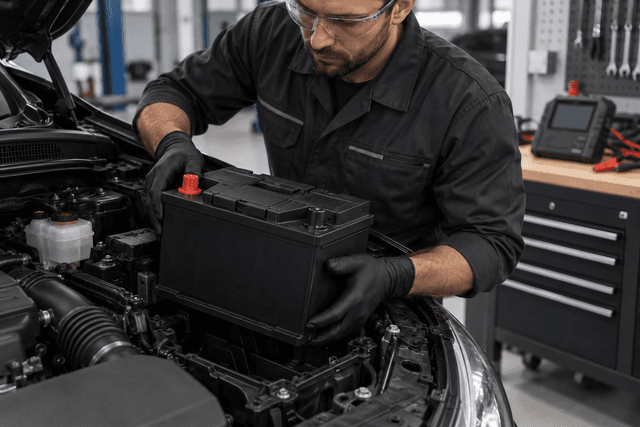
If you are not confident about the steps, leave the installation to a qualified technician. If you fit it yourself, wear eye protection and gloves, switch the engine off and keep the key away, disconnect and reconnect the terminals in the order given in the owner’s manual, avoid letting a metal tool touch both terminals, and keep any sparks or flames away from the battery.
- Battery registration: some cars require the new battery to be registered in the energy management system with a diagnostic tool so that charging is adjusted for a new battery. Ask the technician whether your car needs this.
- Saving settings: disconnecting the battery may erase settings such as the clock and radio, and some systems may need resetting according to the manual. Some technicians use a memory saver during the swap.
- Clean terminals: remove corrosion from the terminals and cable ends, and check that the clamps are sound before connecting.
- Secure mounting: fix the battery with its hold-down clamp so it cannot move, tighten the terminals without excessive force, and refit the protective covers.
After installation, start the car and watch for any warning message. If one appears, return to the technician to check the installation and registration rather than trying to clear the warning yourself.
How Do You Dispose of the Old Battery Safely?
A battery contains acid and lead, so do not open it, drain it or put it in household waste. Keep it upright, protect its terminals from contact, and hand it to the seller, a workshop or a party that accepts used batteries for recycling. If it is cracked or leaking, do not touch it with bare hands and ask the workshop to handle it.
Frequently Asked Questions About Choosing a Car Battery
How can I tell a battery fault from a starter fault?
Slow cranking with dim lights may point to the battery, while a click with bright lights may point to the starter motor. These are indications, not a diagnosis, so have the battery and charging system tested and review the signs of a failing starter motor before buying.
Can I fit a battery with a higher capacity than the original?
It may be possible in some cases if the size and technology still match, but the decision rests with the owner’s manual and the technician, especially in cars that record battery data in their system.
Can I fit a conventional battery to a car with stop-start?
This is not recommended; use the technology specified in the manual, such as EFB or AGM, because a lower technology may not withstand the frequent restart pattern.
Do all cars need the new battery to be registered?
No, but some cars require it using a diagnostic tool. Ask the technician or check the manual before installation, and do not assume the swap is complete once the terminals are connected.
What should I do with the old battery after replacing it?
Do not open it or throw it away with household waste. Keep it upright and hand it to the seller, a workshop or a party that accepts used batteries for recycling.
Conclusion
First confirm that the battery is the problem, then match size, terminals, capacity, CCA and technology to the owner’s manual, and check the manufacture date and warranty terms. Leave installation and registration to a technician if you are unsure, and dispose of the old battery safely.